The Math League answer-list photo is the student’s own photograph of the answer list shown on screen before submission. For the 2026-27 online preliminary round, the Notes for Participants require the photo to include the student’s name and the test number provided by the system. If a score is disputed after the round, the notes say the organising committee will compare that photo with the system-recorded responses. The photo is not a substitute for pressing submit, and it is not a second answer channel: it is an evidence copy of what the student saw.
The official sequence and the practical frame checks below should not be blurred together. This article quotes the participant notes where it relies on them, and labels local rehearsal advice as editorial so that families can tell a rule from a routine.
The short answer: what the notes explicitly require
The participant notes describe a photograph of the answer list, and they state two explicit content requirements:
- Contest registration
- Free past papers
- 1-on-1 trial lesson

- The student’s name, as shown on the answer-list screen.
- The test number provided by the system, not a school roll number, a registration order number, or a number copied onto another sheet.
The notes also describe the object being photographed as the answer list displayed by the system. They call it the answer sheet in one sentence and the answer list in another; the object is the same either way. It is not the student’s rough work, not the scratch paper, and not a handwritten copy of answers.
The notes do not spell out every frame detail in that sentence. A complete, readable list is a practical requirement for the comparison purpose to work, but it is not a separate quoted rule. The editorial checklist below therefore goes beyond the two explicit content requirements while remaining clearly advisory.
What the official sequence actually says
The notes give an ordered sequence, and the order matters.
| Stage | What the participant notes describe | Family action |
|---|---|---|
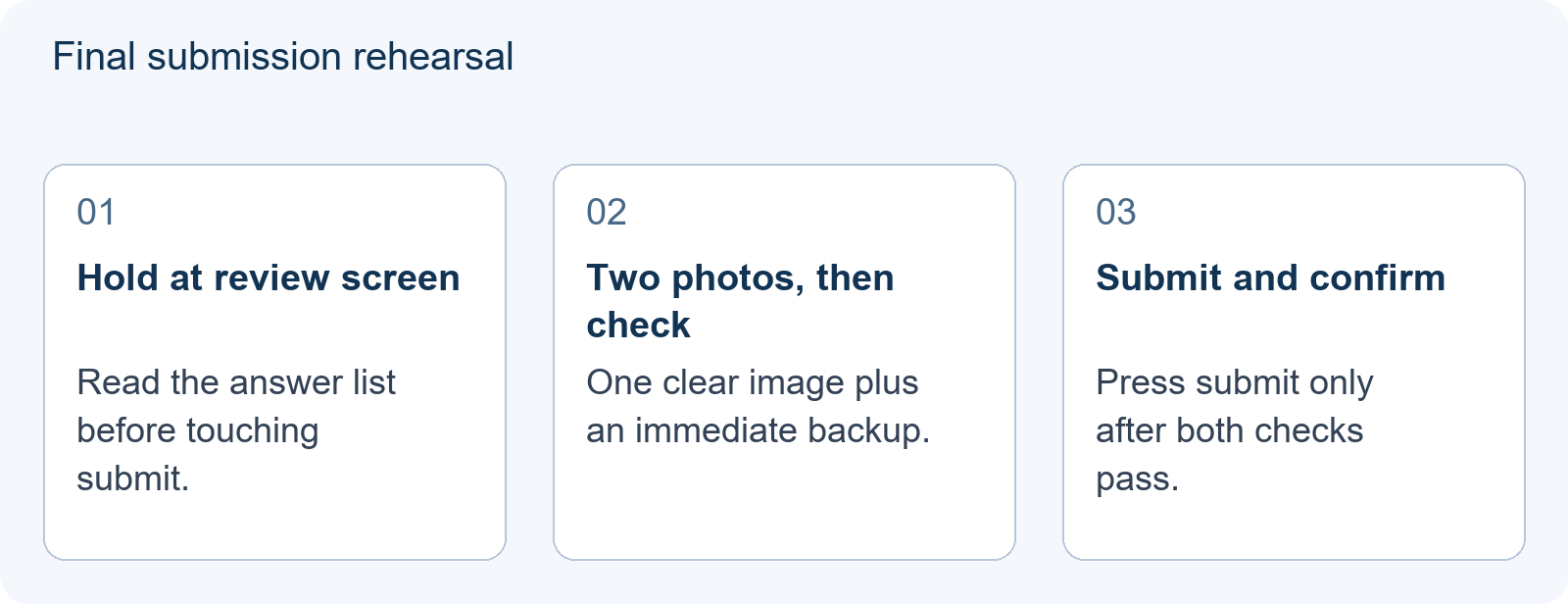
| Answer list appears | Before answers are submitted, the system displays the student’s answer list on the computer screen. | Stop and read the list; do not press submit yet. |
| Photo taken | The student photographs the answer list so that the name and the system-provided test number are included. Parents may assist with this photo. | Take a clear photo, then an immediate backup. |
| Submission | Answers are then submitted. | Confirm that submission completes on screen. |
| If time expires first | The system automatically redirects to the submission page showing the answer list, and the student has an additional 2 minutes to take a photo before submitting. | Photograph immediately; treat this as a fallback, not a planned step. |
Two details are easy to miss. The photo belongs before submission, not after it. The two-minute extension is triggered by not submitting within the allotted time; it is not part of the normal schedule.
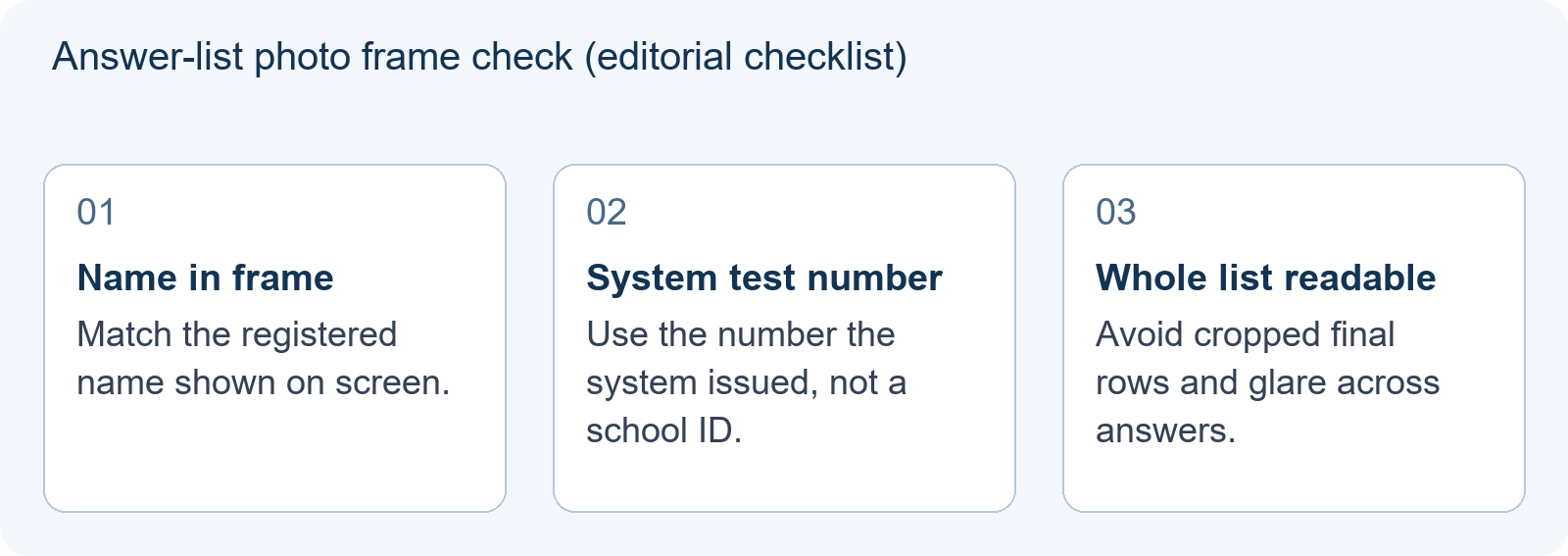
Editorial frame checklist: practical advice, not additional official wording
Run a consistent checklist in rehearsal and again on the day. These items are teaching advice, not quoted rules from the organiser.
- Name legible. The registered name should be readable at normal zoom, not blurred by motion.
- System test number legible. Both digits and any letters should be readable, and the number should be the one issued by the system.
- Whole list visible. Include the first and last recorded answer; a cropped final row is a silent defect.
- Small margin included. Leave a little space around the list rather than filling the frame exactly.
- No glare or heavy shadow. Tilt the phone slightly or block the ceiling light if a reflection crosses the answers.
- Backup saved. Take a second photo straight away and confirm both files exist before submitting.
The notes already require the smartphone used as the second camera to be silent and set to airplane mode, and they add that Wi-Fi can then be enabled for the connection. That setup also reduces the chance of an incoming call interrupting the photo step.
Who may help, and when that permission applies
The notes draw a clear line. Before the preliminary round begins, parents may help set up and test the computer and smartphone. After the exam begins, no other person should appear in either camera; the notes state that if another person appears, the student’s preliminary round results are automatically invalidated.
The answer-list photo is a specific exception at the end. The notes say parents may help take this photo, and that they may appear in the camera at that time. That permission is specific to the photo step. It does not allow a helper to sit beside the student during the 75 minutes of answering, and it does not allow a parent to comment on answers.
The notes do not state which device must take the photo. The smartphone is already used as the second camera, but this article does not add a device rule. Families should confirm the expected arrangement with their registration unit or school before the day.
A short rehearsal for the final sequence
Teaching illustration, not an official Math League task or scoring rule. Build a mock answer list on the laptop: a heading with a student’s name, a mock system-style test number such as A-2046, and twenty answer lines. Then run three short rounds.
Round 1 – clean conditions. The student opens the mock list, picks up the phone, takes one photo including the name, number and all twenty lines, takes a backup, and says ‘submitted’. Time this round and record your own result; do not rely on an assumed speed.
Round 2 – deliberate glare. Place the phone so that a lamp reflects across the middle rows. The student must notice the glare, change the angle and retake the photo. The aim is to make the glare check automatic.
Round 3 – with a helper. A parent holds the phone while the student reads the list aloud, confirming the name, the mock test number and the final answer line. This rehearses the allowed division of labour at the photo step only.
Repeat the sequence on two different days. The goal is reliable execution when the student is tired, not speed for its own sake.
Common failure points, shown by contrast
Teaching illustration. Consider two hypothetical students facing the same review screen.
Student A photographs a page of scratch paper with answers copied by hand, then submits. The handwritten page carries no system test number and is not the system’s display, so it cannot serve the comparison purpose described in the notes. The student has a photo, but not the required one.
Student B photographs the screen at an angle, capturing the name and test number but cropping the last three rows, then submits. Identity may be provable, but the disputed answers could sit in the missing rows. A quick second photo without cropping would have fixed the problem.
The contrast gives one practical rule: photograph the system’s own display, in full, twice. Nothing handwritten substitutes for it, and a partial frame weakens the evidence.
What the extra two minutes covers
The notes say that if a student does not submit within the allotted time, the system automatically redirects to the submission page, which displays the answer list, and the student then has an additional 2 minutes to take a photo before submitting. The test itself runs 75 minutes, or 45 minutes for Grades 1-2.
The described purpose of the two minutes is photographing the list before submitting. A safe preparation rule is not to plan on using that fallback for solving or answer changes; begin the photo sequence with some official time still remaining so that a blurred image or storage warning can be handled. Families should treat the redirect as an emergency window, not as extra working time.
After a disputed score: what the photo can and cannot do
The notes state that if students dispute the grading after the preliminary round, the organising committee compares the photo of the answer list with the system-recorded responses. That defines both the value and the limit of the photo. It is a comparison aid for the committee; it is not an appeal mechanism in itself, and it does not override what the system recorded.
Keep the original file unedited and uncropped in a folder that survives a phone change or cleanup. Do not crop it for storage, apply filters, or delete the backup. If a query arises, the family can locate the image, check it against the system list, and follow the route the organising committee sets out.
One related prohibition matters because it sits beside the dispute question. Before the organising committee announces preliminary results, students are strictly prohibited from sharing or disclosing test questions in any form, and the notes state that leaking questions cancels the score. A parent posting question screenshots in a group chat can undo an otherwise strong paper; the Math League Test Question Sharing After the Preliminary: What Can Cancel a Score (2026-27) covers that boundary.
Where this fits with the rest of the technical setup
The answer-list photo is the last step in a chain that begins before the paper opens. Device checks, camera angles and room clearance are covered in the Math League Online Preliminary Round (12 December 2026): The Two-Camera Setup, What Voids a Result, and a Home Rehearsal Plan for China Families, and the review-and-submit habit itself is rehearsed in the Math League Online Practice: Rehearse Answer Entry and the Final Submission Check. Families who have worked through those pieces can treat this checklist as the final layer: the specific content and framing of the evidence photo.
A useful division of labour is to rehearse the camera setup, the answering phase and the photo step separately. Combining them into one long simulation tends to create fatigue rather than fluency.
Preparing a course-fit or resource question
A consultation is more useful when the question is specific. Before contacting any provider, including this site, note three things: the student’s grade and the paper level being attempted; which step in the sequence feels uncertain in rehearsal, such as the photo step, the review screen or the move from scratch paper to on-screen entry; and what has already been tried, with dates.
If the question is about practice materials, describe the grade, the season and the question types already covered, and ask specifically whether worked solutions exist for the years in question. Where a resource is offered, confirm exactly which years and formats are included rather than assuming broad coverage. This site’s preparation perspective is that the photo step is a short procedural skill inside a 75-minute exam, and it should be rehearsed briefly, repeatedly, and separately from content practice.
General event background is available at Event background.
This is an independent preparation guide, not affiliated with, endorsed by, or sponsored by Math League.
Frequently Asked Questions
Does the answer-list photo replace submitting the answers?
No. The photo is taken from the answer list the system displays before submission, and the answers are then submitted. The photo is an evidence copy used for comparison if grading is disputed; it is not a submission channel and not an alternative to pressing submit.
Can a parent appear on camera to help take the photo?
The participant notes say parents may help take the answer-list photo and may appear in the camera at that time. That permission is specific to this step. Once the exam has begun, no other person should appear in either camera, and the notes state that another person appearing invalidates the student’s preliminary round results.
What happens if time runs out before the photo is taken?
The notes state that if a student does not submit within the allotted time, the system automatically redirects to the submission page showing the answer list, and the student then has an additional two minutes to take the photo before submitting. That window is for photographing the list, so it should be treated as a fallback rather than a planned step.