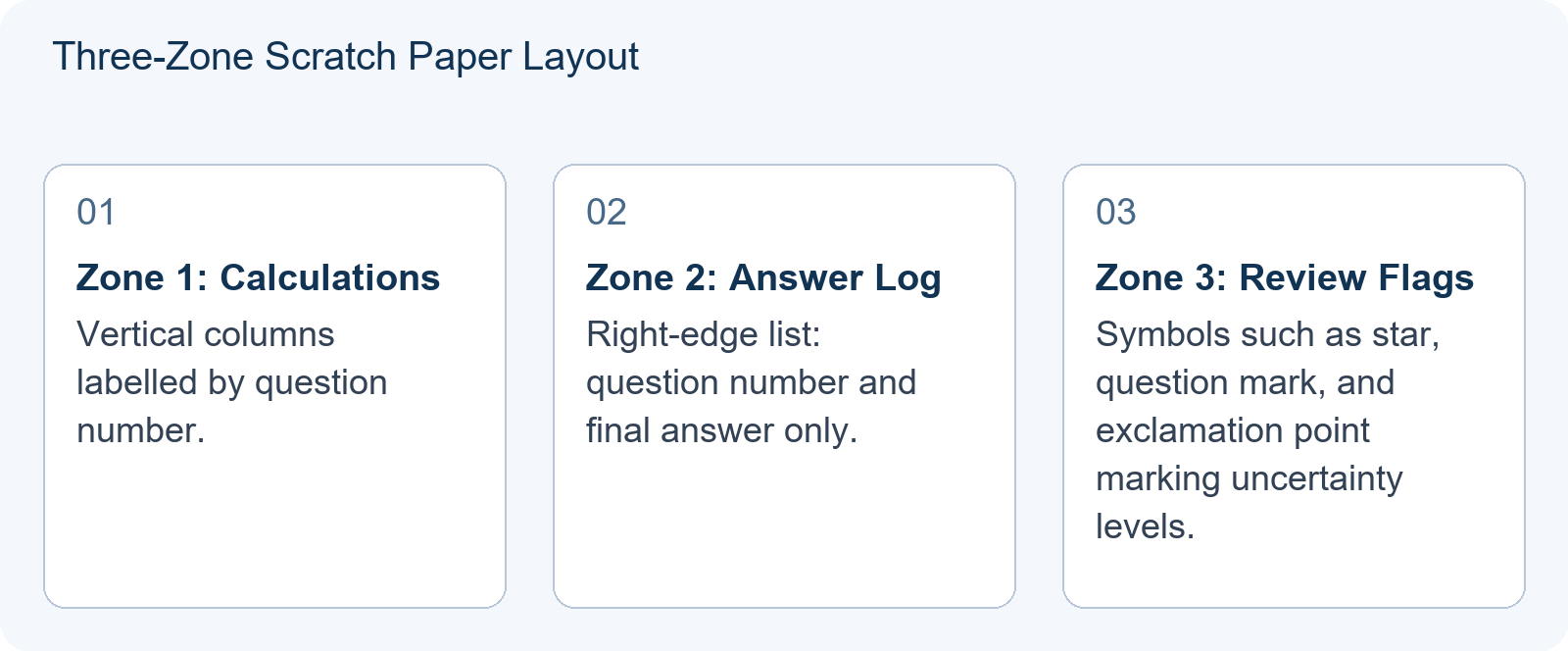
For the 2026-27 Math League online preliminary, a workable math league scratch paper strategy is simple: start with the clean scratch paper the official notes permit, divide it into three zones after the timer begins, and keep every answer in a single answer log. The three zones are calculation space, an answer log, and a review-flag margin. This layout does not change the math you need, but it reduces the chance that a correct calculation is typed incorrectly or that a flagged question is forgotten during the paper (75 minutes, or 45 minutes for Grades 1–2).
The official Notes for Participants_Math League (2026–2027 first round) say students may use only clean scratch paper for calculations. No books, dictionaries, reference materials, calculators, mobile phones, or other auxiliary tools are allowed in the online preliminary. The notes also state the test duration: 75 minutes, or 45 minutes for Grades 1–2. Those are the boundaries. Within them, the notes do not prescribe how to arrange working notes. That gap is where a coaching technique can help.
Why structure matters more than speed
In a paper contest, students often circle answers directly on the booklet. In the Math League online preliminary, answers go into a computer interface. The physical scratch paper and the digital answer field are separate, so a correct calculation can still become a wrong entry. If your working notes are chaotic, you may calculate the correct remainder but record the quotient, or skip a question because you cannot find the previous note.
- Contest registration
- Free past papers
- 1-on-1 trial lesson

The notes describe a final check: before submission, the system displays the student answer list on the computer screen, and the student must photograph it. That check is easier when your scratch paper mirrors the question order and clearly marks uncertain answers. A structured layout turns the photo check into a quick verification step rather than a last-minute reconstruction.
Zone 1: the calculation workspace
The largest part of the sheet should hold raw computation. Divide it vertically by question number. Write the question number clearly at the top of each column or block. This lets you jump back to a specific problem without scanning the whole page.
Within Zone 1, prioritise legibility over compactness. You cannot use printed aids, so your handwriting must remain readable under time pressure. Use arrows for multi-step work. Keep each calculation inside the vertical boundary for that question. Do not let work bleed into other zones. If you make a mistake, cross it out neatly and continue below rather than scribbling over the original logic you may need to review.
Zone 2: the answer log
A narrow strip along the right edge or bottom of the sheet becomes the answer log. This is not for working. It is for recording the final answer of each question as soon as you are confident. Format it as a simple two-column list: question number and final answer.
The purpose of Zone 2 is to separate solving from entering. When you finish a problem, transfer the result to the log immediately. Later, when you enter answers into the computer, you read down the log instead of hunting through Zone 1. This reduces the chance of copying an intermediate value instead of the final result. It also acts as a checklist: an empty row tells you instantly that a question has not been solved, which helps prevent accidental skips.
Zone 3: review flags and uncertainty marks
The third zone is a small margin or corner for tracking questions that need a second look. Use symbols such as a star for confident but double-check, a question mark for a guess, and an exclamation point for stuck. Put these marks next to the corresponding question number in the answer log or in Zone 1.
This zone supports time management. With the available time, you cannot afford to stay on one hard problem. Flag it and move on. At the end, scan Zone 3. If time remains, return to starred items first, then questioned ones. This systematic approach helps secure easier points before difficult ones are attempted. Without flags, students often spend disproportionate time early and leave later questions unanswered.
Teaching illustration: laying out a remainder problem
To visualise the layout, consider a hypothetical teaching illustration involving a remainder cycle problem. Suppose the question asks for the remainder when 2 to the power 100 is divided by 7. This is not an actual contest problem; it is a layout example.
- Zone 1, calculation: Write Q12 at the top. Below it, list powers of 2 modulo 7: 2 to the power 1 gives 2, 2 to the power 2 gives 4, 2 to the power 3 gives 1. Note that the cycle length is 3. Calculate 100 divided by 3, remainder 1. Conclude that the answer is 2.
- Zone 2, answer log: Next to 12, write 2.
- Zone 3, flags: If you were unsure about the cycle length, add a question mark next to Q12 in the log. If you are confident, no flag is needed.
This separation means that when you enter the answer, you look at Zone 2, see 12 and 2, and type it. You do not need to re-read the modular arithmetic in Zone 1, saving seconds across the paper.
Diagnostic: counting transcription errors
Families often ask how to measure improvement in this area. A useful diagnostic is to take a past practice paper and attempt it using the three-zone layout. Afterward, compare your answer log against the official answer key. Count two types of error:
- Solution errors: the math in Zone 1 was wrong.
- Transcription errors: the math in Zone 1 was right, but the number in Zone 2 was wrong, or the number typed into the computer was wrong.
If transcription errors exceed solution errors, your layout or transfer routine is likely the bottleneck rather than a content gap. Adjust the layout. Perhaps your handwriting is too small, or you are rushing the transfer to Zone 2. The goal is to reduce transcription errors to near zero so that preparation can focus on mathematical content.
What the official notes say and do not say
It is important to separate official rules from coaching advice. The Notes for Participants_Math League explicitly state: ‘Students may use only clean scratch paper for calculations.’ They do not prescribe a layout. The three-zone method is a Hanlin coaching technique, designed to help students comply with the rule while working efficiently. It is not an official requirement.
| Element | What the official notes say | Coaching implication |
|---|---|---|
| Scratch paper | Only clean scratch paper for calculations; no books, reference materials, calculators, mobile phones, or auxiliary tools. | Bring clean paper. Draw the three zones after the timer begins, not before, because the notes call for clean scratch paper. |
| Time | 75 minutes; 45 minutes for Grades 1–2. | Use review flags so a hard question does not consume the whole paper. |
| Answer-list photo | The system displays the answer list before submission; the student must photograph it. If the system auto-submits at time, the notes allow an additional 2 minutes to take the photo. | Keep the answer log complete as you go so the photo check is quick. |
| Monitoring | The first camera shows face and head. The second camera shows the screen, desk surface, upper body, and hands. | Keep scratch paper flat and visible. Avoid a messy pile that obscures the desk. |
| People in view | After the exam begins, no other person should appear. If another person appears, results are automatically invalidated. Parents may help with the answer-list photo before submission and may appear at that time. | Setup help must finish before the timer starts. Photo help is allowed only at the final answer-list step. |
Also note that the online preliminary rules are not the same as the separate US and Canada school contests. The official Math League home page has a 2026-2027 calculator announcement for those school contests. The online preliminary notes restrict calculators. Keep the paper version and the online preliminary separate when you rehearse.
Rehearsal routine before the preliminary
Begin rehearsing this layout now. Start with short quizzes. Require students to use the three-zone layout even for homework so it becomes habitual. During full-length mock exams, simulate the online environment: use a browser, disable copy-paste, and enforce the clean scratch paper rule.
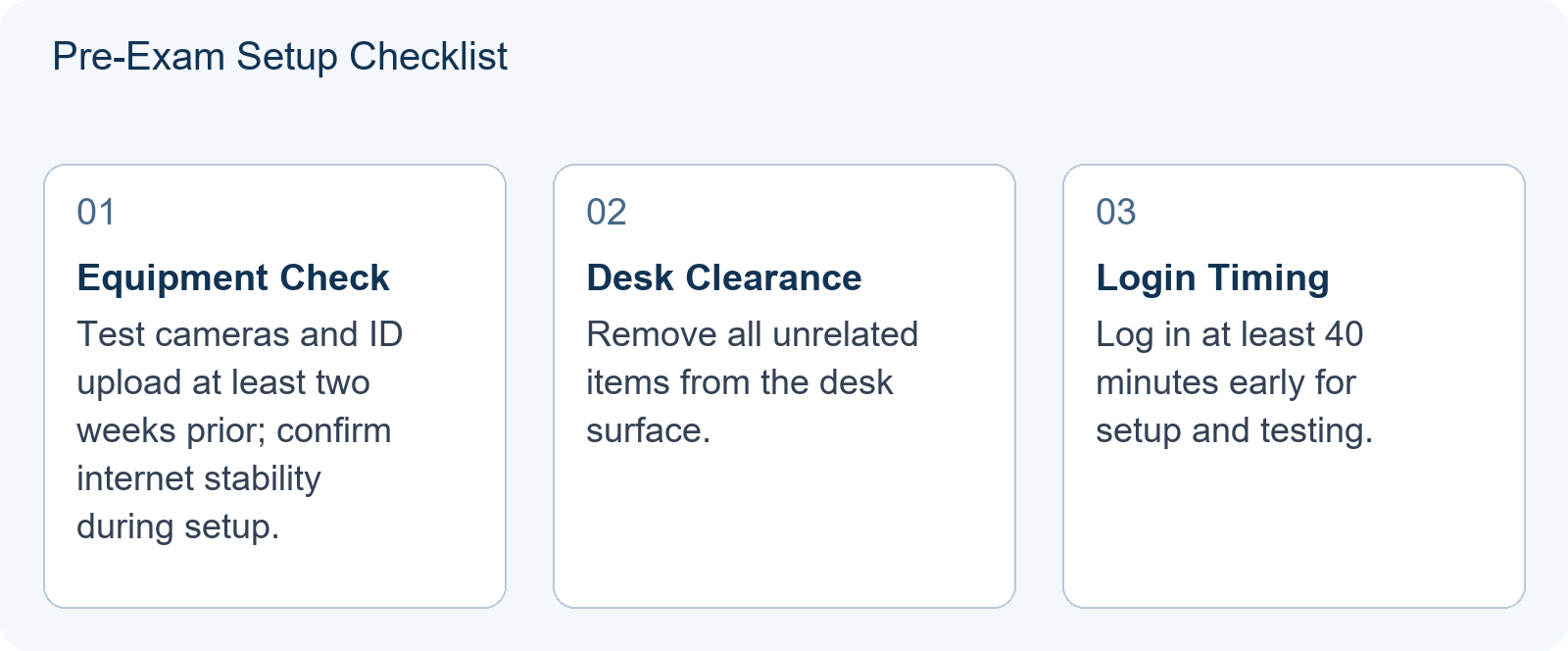
Check equipment well in advance. The notes say students should complete a test equipment check at least two weeks before the preliminary, including student ID upload, laptop or tablet camera check, and smartphone camera check. They recommend logging in at least 40 minutes early to start setup and testing.
Use that login window to arrange the desk, ensure lighting is adequate for both cameras, and place scratch paper within reach but clear of the keyboard. Practise taking the photo of the answer list, because it is a mandatory step before submission. The notes say the photo must include the student name and the test number provided by the system. Parents may help take this photo and may appear in the camera at that time.
During the exam itself, no other person should appear in either camera. If another person appears, the preliminary results are automatically invalidated. The student also cannot leave the view of either camera until answers are successfully submitted. These rules make a tidy, predictable desk layout more than an organisational preference: it is part of staying compliant while keeping attention on the math.
By structuring the physical workspace, students create a reliable framework for the digital contest. This strategy transforms the constraint of clean scratch paper from a limitation into a tool for precision. For further guidance on platform mechanics, refer to our article on Math League Online Practice: Rehearse Answer Entry and the Final Submission Check. To understand broader policy differences, see our comparison of Math League Calculator Policy 2026-27: US/Canada School Contests vs Asia-Pacific Online Preliminary. And for setup advice, consult our guide on the Math League Online Preliminary Round (12 December 2026): The Two-Camera Setup, What Voids a Result, and a Home Rehearsal Plan for China Families.
General event background is available at Event background.
This is an independent preparation guide, not affiliated with, endorsed by, or sponsored by Math League.
Frequently Asked Questions
Can I use lined notebook paper for the Math League preliminary?
The official notes require clean scratch paper for calculations; they do not state that lined or unlined paper is required. The important point is that the paper must not contain pre-written notes, formulas, or reference material. If you want the most conservative reading, use plain paper and draw your zones after the timer begins, but do not treat lined versus unlined as the official rule.
How many sheets of scratch paper are allowed?
The official notes do not specify a maximum number of sheets, only that the paper must be clean and used for calculations. Practical advice: one or two sheets keeps the three-zone layout readable and helps the second camera see the desk surface without excessive clutter.
Do I need to photograph my scratch paper?
No. The photograph requirement applies to the answer list displayed on the computer screen before submission. If the system auto-submits at time, the notes say you have an additional 2 minutes to take that photo. Your scratch paper remains on the desk for camera monitoring.